Turning in an assignment (only for models with a scanner)
-
Place the originals on the printer.
-
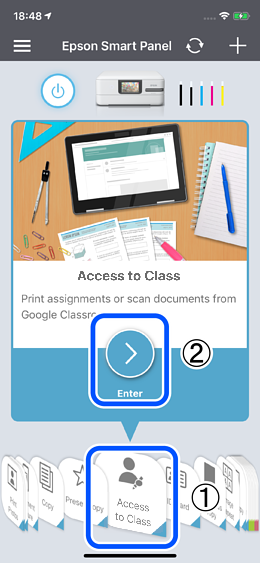
Select Access to Class from the menu, and then tap
 .
.
-
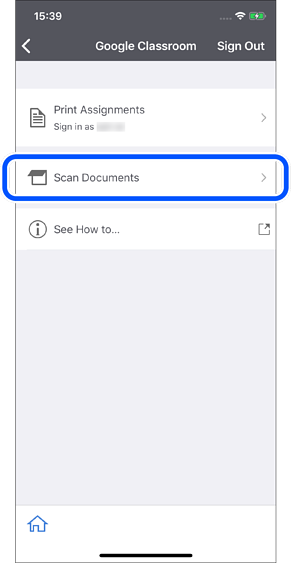
Select Scan Documents.
-
Make the necessary scan settings, and then tap
 .
.
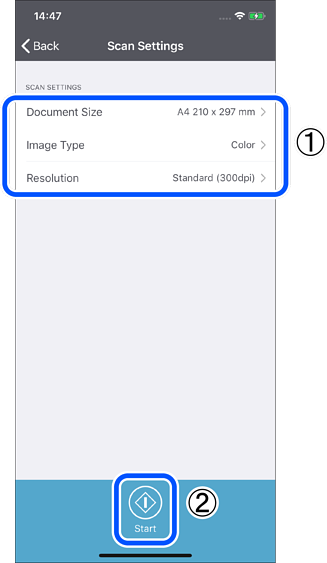
- Document Size: Select the size of the original you placed on the printer.
- Image Type: Select the color in which you want to save the scanned image.
- Resolution: Select the resolution.
-
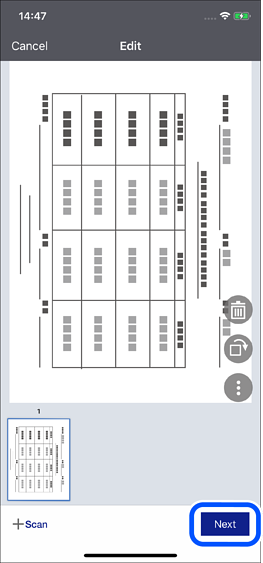
Confirm the scanning result, and then tap Next.
-
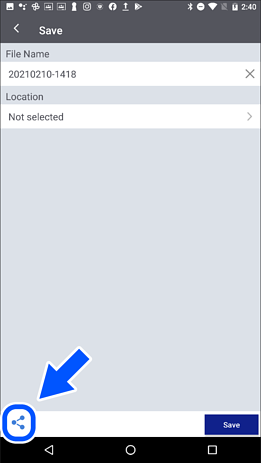
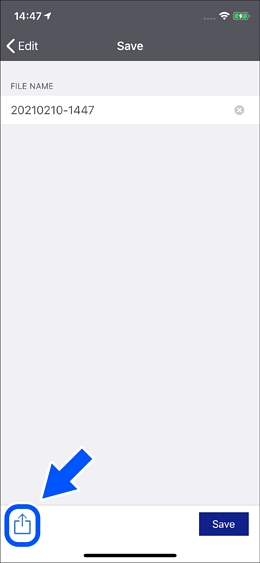
Tap the Share button.
Android : Tap

iOS : Tap

-
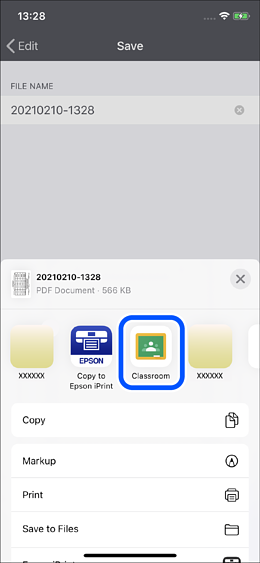
Select Google Classroom.
 Note:
Note:The Google Classroom app must be installed and you must be logged in on your device.
(Make sure you are using an OS that supports the Google Classroom app.) -
Turn in your assignment using the Google Classroom app.
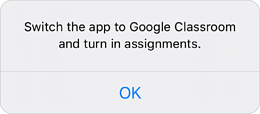
Note:When the following screen is displayed, launch the Google Classroom app directly and turn in your assignment.